Models
Configure LLM providers and models for annodex.
Overview
Annodex works with any OpenAI-compatible LLM provider. Unlike the standard
Codex CLI which requires the OpenAI responses API format, annodex includes a
provider normalization layer that translates between API formats.
This means you can use models that Codex CLI cannot natively support:
| Provider | API Format | Works with Codex CLI? | Works with Annodex? |
|---|---|---|---|
| OpenAI | responses | ✅ Native | ✅ |
| DeepSeek | chat/completions | ❌ Incompatible | ✅ Translated |
| Anthropic | Messages | ❌ Incompatible | ✅ Translated |
| Other OpenAI-compatible | chat/completions | ❌ Incompatible | ✅ Translated |
Configuration File
Provider and model definitions live in:
~/.config/annodex/providers.jsonYou can edit this file directly or use Settings → Models in the web UI. The directory must be writable — if saves fail on Linux, see Configuration.
Basic Structure
{
  "providers": {
    "<provider-name>": {
      "apiKey": "your-api-key",
      "baseURL": "https://api.example.com",
      "type": "openai"
    }
  },
  "models": [
    {
      "id": "model-id",
      "provider": "<provider-name>"
    }
  ]
}
Provider Fields
| Field | Required | Description |
|---|---|---|
apiKey | Yes | Your API key for this provider |
baseURL | Yes | The API endpoint URL |
type | No | Provider type. Defaults to "openai" for OpenAI-compatible APIs |
Example Configurations
DeepSeek
DeepSeek is affordable and capable, but its API uses chat/completions format
which is incompatible with vanilla Codex CLI. Annodex handles the translation.
{
  "providers": {
    "deepseek": {
      "apiKey": "sk-your-deepseek-key",
      "baseURL": "https://api.deepseek.com"
    }
  },
  "models": [
    { "id": "deepseek-chat", "provider": "deepseek" },
    { "id": "deepseek-reasoner", "provider": "deepseek" }
  ]
}
OpenAI
{
  "providers": {
    "openai": {
      "apiKey": "sk-your-openai-key",
      "baseURL": "https://api.openai.com/v1"
    }
  },
  "models": [
    { "id": "gpt-4o", "provider": "openai" },
    { "id": "gpt-4.1", "provider": "openai" }
  ]
}
Multiple Providers
You can configure multiple providers simultaneously and switch between them in the annodex UI:
{
  "providers": {
    "deepseek": {
      "apiKey": "sk-deepseek-key",
      "baseURL": "https://api.deepseek.com"
    },
    "openai": {
      "apiKey": "sk-openai-key",
      "baseURL": "https://api.openai.com/v1"
    },
    "anthropic": {
      "apiKey": "sk-ant-key",
      "baseURL": "https://api.anthropic.com"
    }
  },
  "models": [
    { "id": "deepseek-chat", "provider": "deepseek" },
    { "id": "deepseek-reasoner", "provider": "deepseek" },
    { "id": "gpt-4o", "provider": "openai" },
    { "id": "claude-sonnet-4-20250514", "provider": "anthropic" }
  ]
}
Custom / Self-Hosted Endpoints
Any OpenAI-compatible endpoint works:
{
  "providers": {
    "local-llm": {
      "apiKey": "not-needed",
      "baseURL": "http://localhost:8080/v1"
    }
  },
  "models": [
    { "id": "qwen2.5-72b", "provider": "local-llm" }
  ]
}
Model Configuration UI
Annodex provides a visual model configuration panel accessible from the workspace. The easiest way to add a provider is through the Quick Setup presets:
- Click Settings in the lower-left corner
- Open Models
- Click + Add provider
- Choose a preset card, or use OpenAI-compatible endpoint for providers such as DeepSeek
- Enter your API key — base URL and default models are pre-filled automatically when available
- Click Save
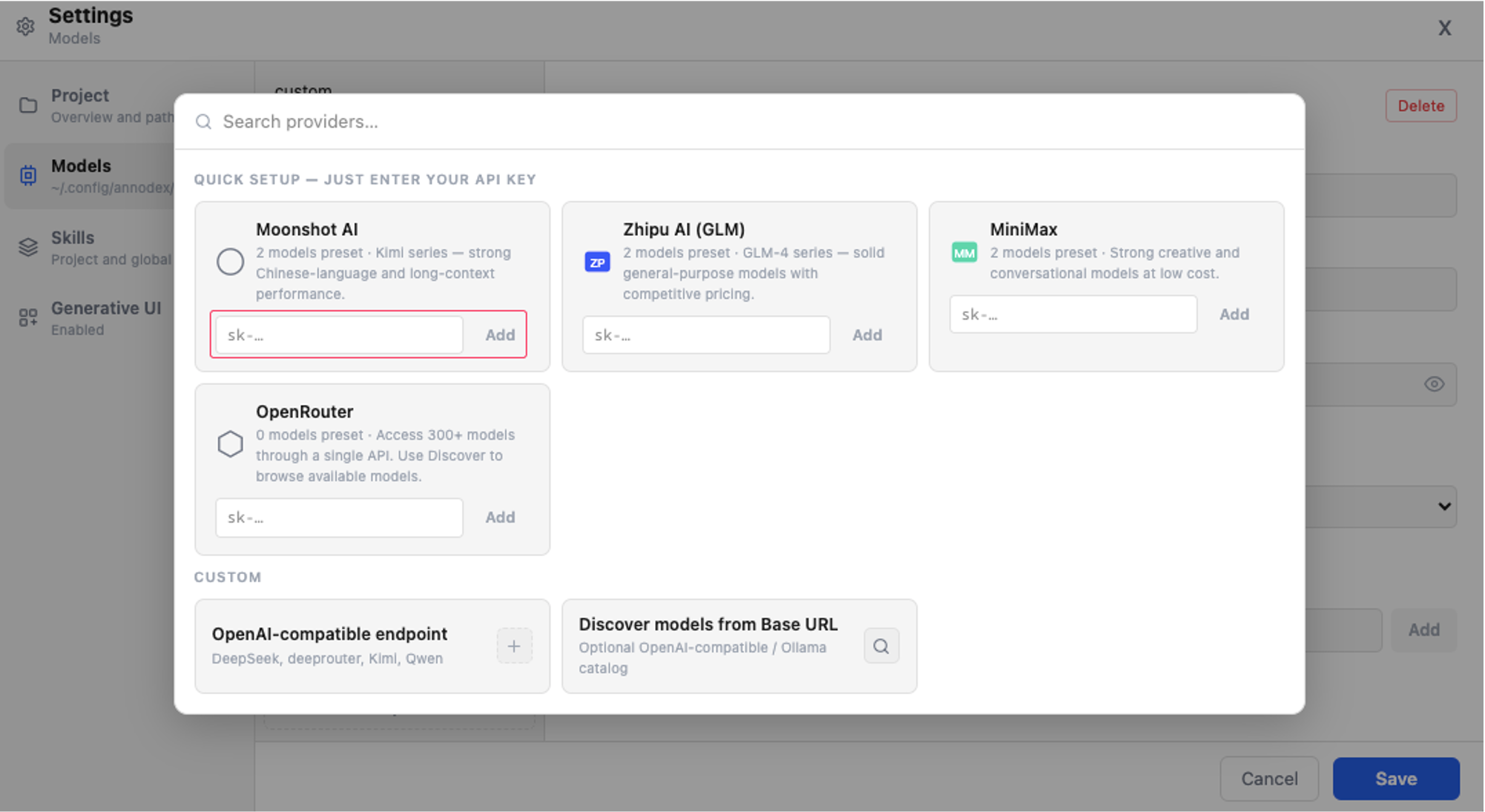
Built-in Presets
| Provider | Default Models |
|---|---|
| DeepSeek | deepseek-chat, deepseek-reasoner |
| Moonshot AI | moonshot-v1-auto, kimi-k2 |
| Zhipu AI (GLM) | glm-4-plus, glm-4-flash |
| MiniMax | abab7-chat, minimax-m1 |
| OpenRouter | (use Discover to browse 300+ models) |
For providers not in the preset list, use Custom to configure any OpenAI-compatible endpoint manually.
Discover vs manual add
When you click Discover on a provider, annodex fetches models from the API and infers flags such as reasoning and image support from model metadata (name, capabilities, etc.).
When you Add model manually, thinking and image checkboxes default to unchecked — set them explicitly if needed.
Codex CLI Compatibility
Annodex reads the same configuration paths as Codex CLI. If you already have Codex configured, annodex will automatically pick up your existing provider and model settings.
Your chat history in ~/.codex is also fully compatible — annodex can browse
and resume threads created by Codex CLI.
Switching Models in Chat
Use the model selector in the chat input area to choose the model for your next message. On mobile, the same controls are available from the compact bottom bar.
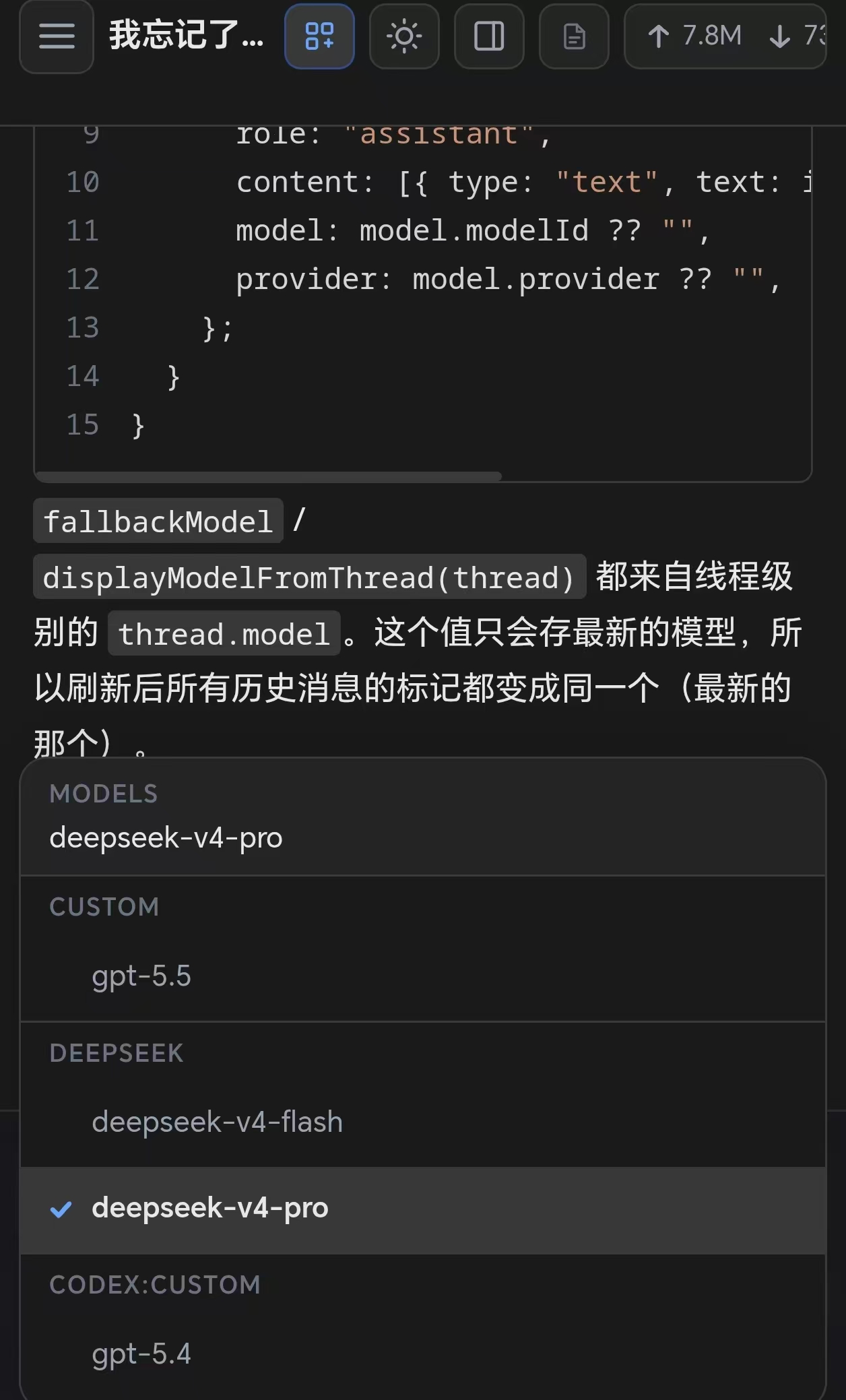
Open More to adjust model, thinking level, tools, and sandbox settings.
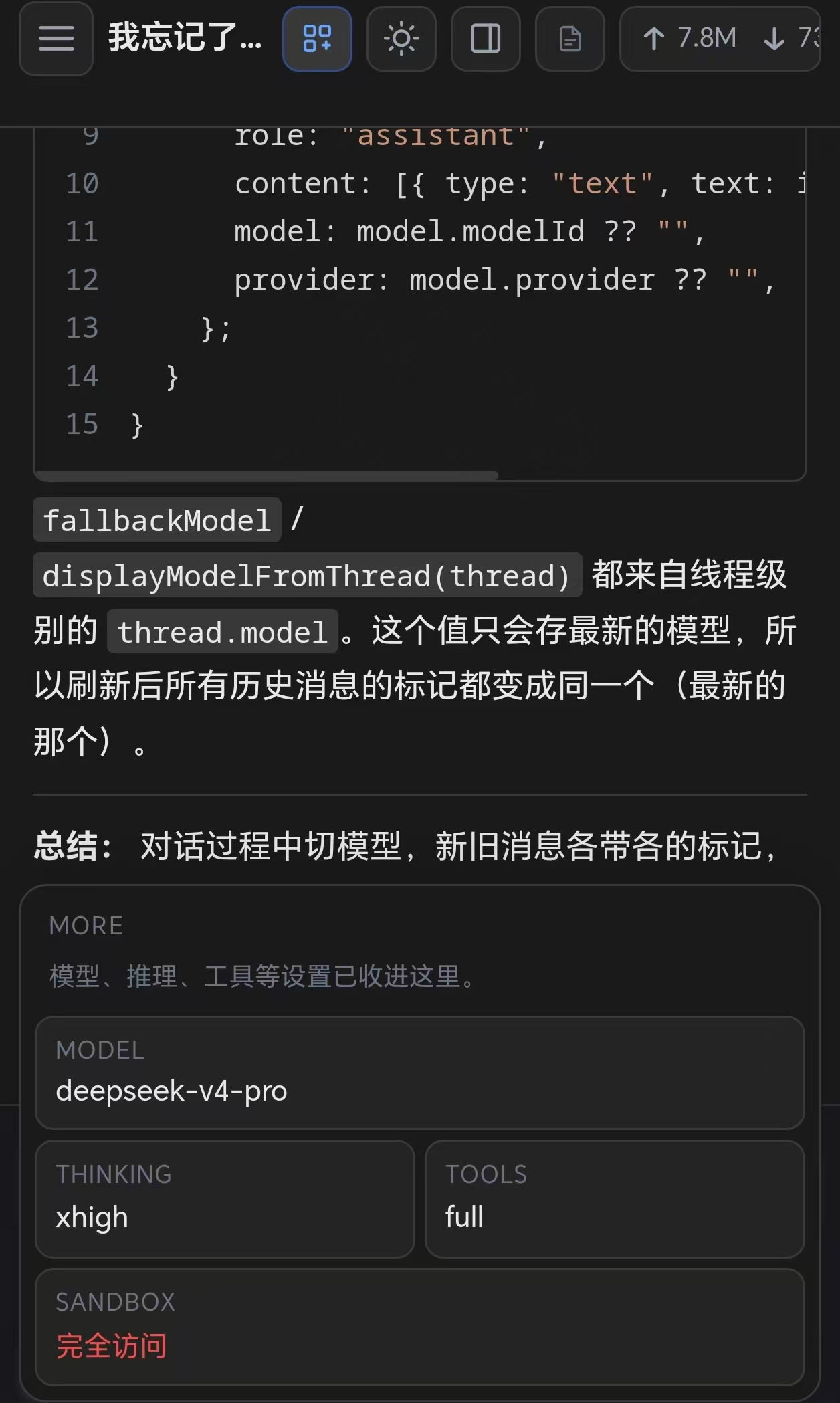
Model-Specific Settings
Thinking / Reasoning Models
For models that support extended thinking (like DeepSeek Reasoner or Claude with thinking), annodex exposes a thinking level control in the chat interface. Choose between:
- Off — standard response mode
- Low / Medium / High — progressively more reasoning tokens
Tool Configuration
Tool presets can be configured per session to control which capabilities the agent has access to:
- Full — all available tools (shell, file read/write, search, etc.)
- Read-only — file reading and search only
- Minimal — chat only, no tool access