Annodex
Browser workspace for Codex — compatible with any LLM provider, no VPN required.
What is Annodex?
Annodex is a browser workspace around Codex. It brings the power of AI-assisted coding and analysis into your browser, removing the friction of terminal-only interaction and provider lock-in.
The Problem
Codex is a powerful agent framework, but accessing it has real barriers:
- Codex Desktop requires a ChatGPT Plus/Pro subscription and network access that many users (especially in China and restricted networks) cannot easily obtain.
- Codex CLI is terminal-only. No image viewing, no file preview, no visual feedback. Scientists, bioinformaticians, and non-developers face a steep cliff.
- Provider compatibility: affordable models like DeepSeek use the
chat/completionsAPI format, but Codex requires the OpenAIresponsesformat. Making them work together without a translation layer is painful.
How Annodex Solves This
Annodex wraps Codex in a browser workspace and adds a provider normalization layer:
| Problem | Annodex Solution |
|---|---|
| VPN / ChatGPT required | Works with any LLM provider — just configure your API key |
| CLI-only, no visuals | Full browser UI with image viewing, file preview, and rich output |
| DeepSeek / alternative models incompatible | Provider layer translates chat/completions ↔ responses automatically |
| Sessions scattered across terminals | Auto-archives chats by project directory |
| Hard to configure models | Visual model config UI — no JSON editing required |
| No interactive notebook for data exploration | Built-in Jupyter notebook — thebe-powered cells with Python/R kernels |
Key Features
- 🔄 Full Codex CLI Compatibility — reads the same
~/.codexconfig and chat history. Your existing Codex setup works immediately. - 🧠 Any Provider, Any Model — DeepSeek, OpenAI, Anthropic, and more.
Configure once in
~/.config/annodex/providers.json. - 📁 Project Switcher + Pin — unpinned projects in the top dropdown; pinned projects as sidebar folders with chat history.
- 🖼️ Disk-Backed Images — pasted images saved under
.annodex-uploads/and restored after reload. - 📥 File preview & download — browse project files; preview Markdown, PDFs, and figures; Download saves originals from the FileViewer toolbar.
- 🧠 Project Memory — JSONL working memory with retain/recall/reflect MCP
tools; promote to
MEMORY.md/CONTEXT.md. See Project Memory. - 💬 Project IM — optional WeCom bot per project cwd; configure in Settings → Project → WeCom IM; run
annodex im-gatewayin the same Linux account. Users pair with a pairing code before chatting. See the dedicated Project IM guide (architecture diagrams, pairing flow, dual-channel comparison with Generative UI + MEDIA:). - 🎯 Native
/goal— Codex thread objectives with in-app goal panel. - 🎨 Generative UI — Mermaid diagrams, tables, and rich Markdown inline.
- 🧪 Interactive Notebook — right-panel Jupyter notebook with rich cell editing, thebe-based kernel integration, Python/R execution, and
.ipynbfile support. Chat target routing lets you send messages to the notebook (or let the agent decide) via the Notebook/Auto target switcher in the input bar. - 🔌 Extensions — MCP presets and per-session toggles via Settings → Extensions (Advanced for transport and install).
- 🛠️ Skills & Tool Presets — domain skills and tool/sandbox controls per session.
- ⚡ Live Streaming — thinking, tools, and waiting status over SSE.
Storage requirement
Annodex and Codex write to your home directory (config, logs, sessions, uploads).
On Linux servers, ensure $HOME is writable or set ANNODEX_CONFIG_DIR and
CODEX_HOME to a writable path — see Configuration.
What It Looks Like
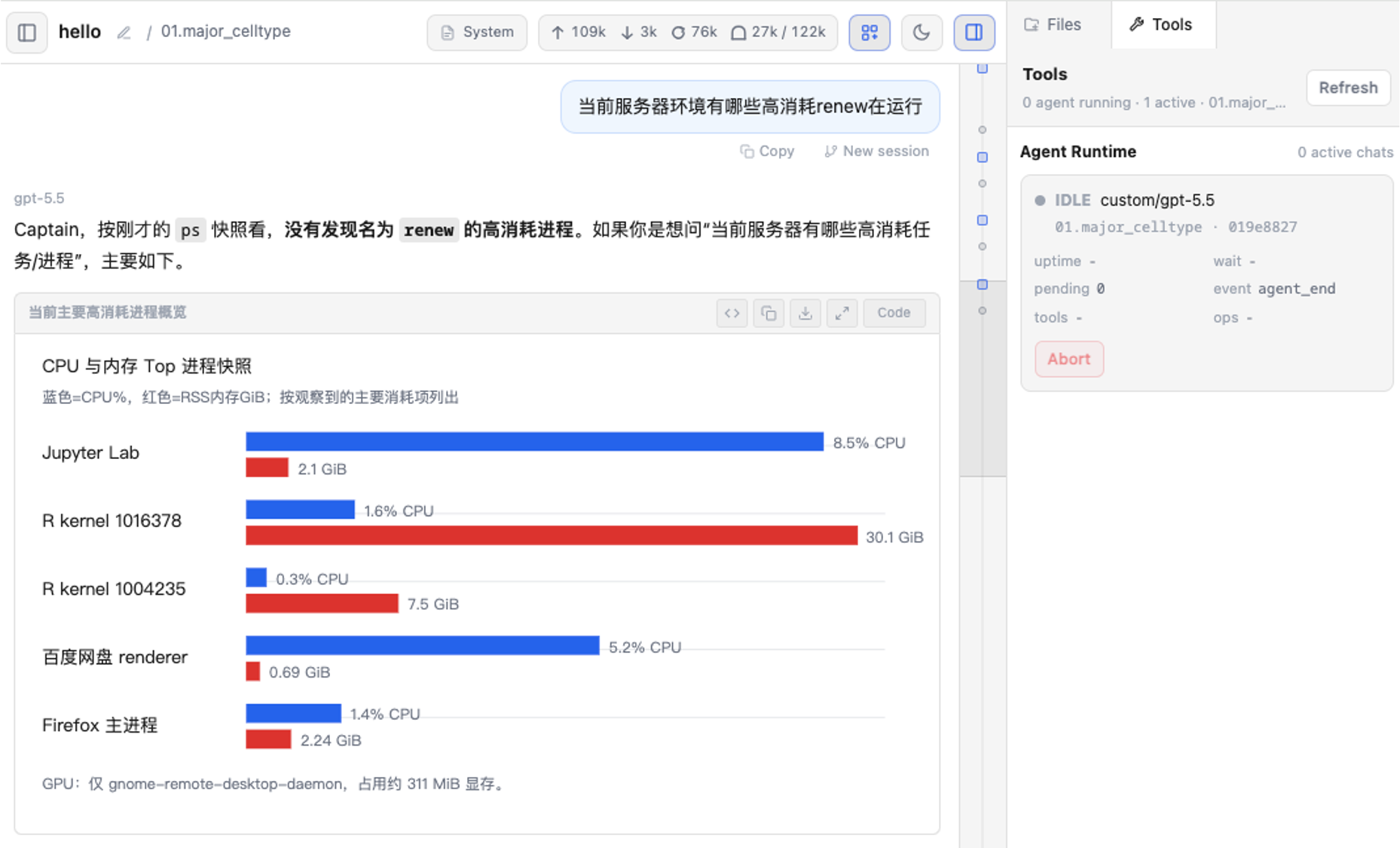
Annodex combines chat, generated visual output, file preview, model settings, and runtime monitoring in one browser workspace.
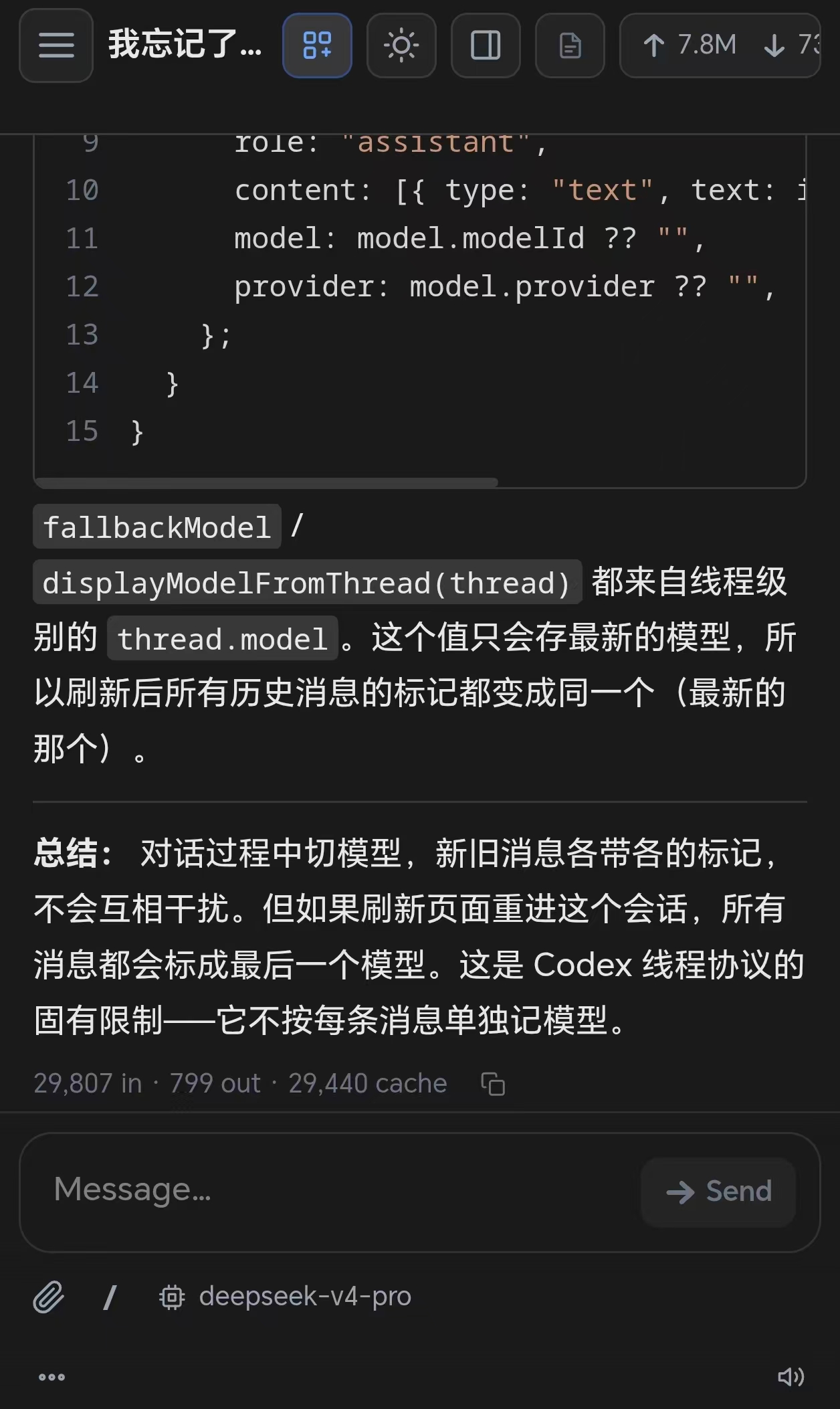
The same workspace is usable from mobile browsers when Annodex is opened from another device on your network.
Architecture
Browser (Chat + Files + UI)
     │
     ▼
Next.js Server (API wrapper + SSE transport)
     │
     ▼
Codex app-server (Threads + Turns + Tools)
Annodex sits between the browser and Codex, handling provider normalization, session lifecycle, and streaming events. The result: a familiar chat interface with the full power of Codex underneath.
Get Started
Head to Quick Start for installation instructions, Project Memory for context and retention design, Project IM for WeCom integration, or dive into Models to configure your first provider.